
Google Business Profile Optimization Guide (2026) – By Digital Buddy
Introduction
If you want your business to rank on Google Maps and appear in the top 3 local results, then optimizing your Google Business Profile (GBP) is a must.
Many businesses create a profile—but very few fully optimize it. That’s why they don’t get calls, leads, or customers.
In this guide, Digital Buddy will show you step-by-step how to optimize your Google Business Profile for maximum visibility and leads.
What is Google Business Profile?
Google Business Profile (formerly Google My Business) is a free tool by Google that allows you to manage how your business appears in:
- Google Search
- Google Maps
When someone searches:
- “SEO services near me”
- “Best salon in Rawalpindi”
Your GBP listing shows with:
- Reviews ⭐
- Location 📍
- Phone 📞
- Website 🌐
Why Google Business Profile is Important
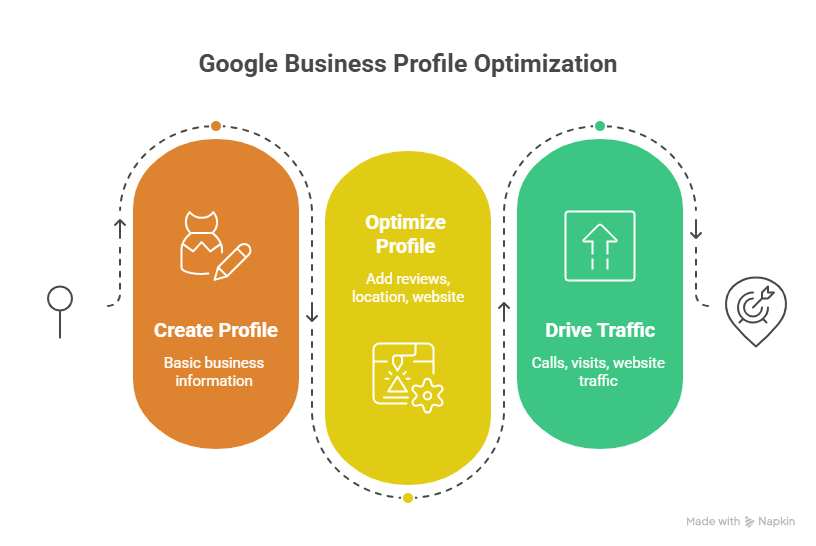
- Appears in Google Local 3-Pack
- Drives calls, visits & website traffic
- Builds trust with reviews
- Helps you rank without a website
Step-by-Step Google Business Profile Optimization
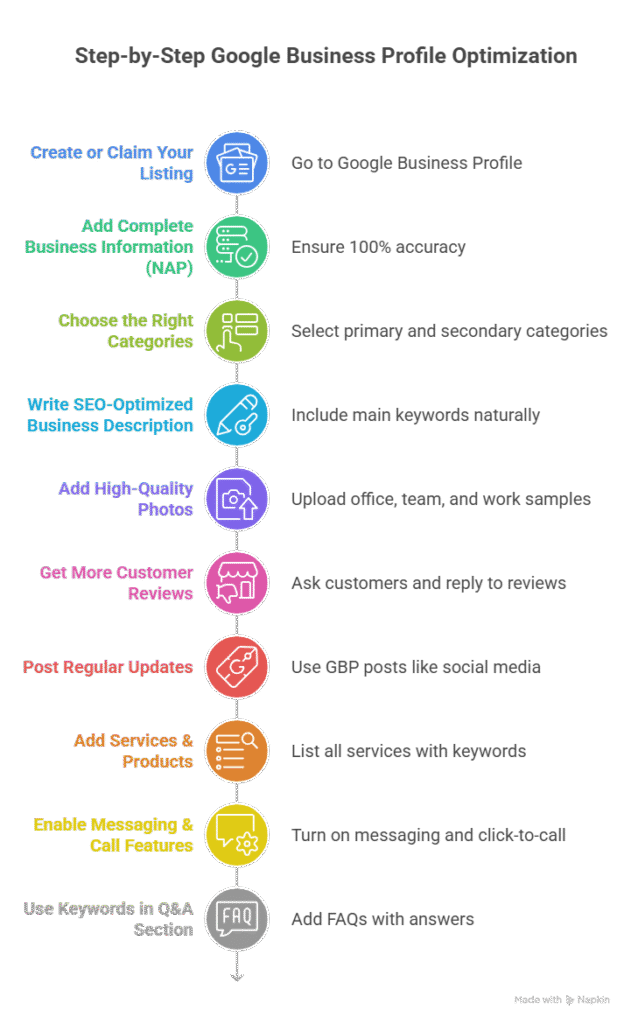
1. Create or Claim Your Listing
- Go to Google Business Profile
- Add your business name
- Choose the correct category
- Enter your location
👉 Verify your business via postcard / phone / email
2. Add Complete Business Information (NAP)
Make sure your details are 100% accurate:
- Business Name
- Address
- Phone Number
- Website URL
⚠️ Keep this same everywhere (very important for SEO)
3. Choose the Right Categories
Your primary category affects ranking.
Example:
- Primary: Local SEO Service
- Secondary: Digital Marketing Agency
4. Write SEO-Optimized Business Description
Include your main keywords naturally:
Example:
“We provide Local SEO services in Rawalpindi helping businesses rank on Google Maps and get more customers.”
5. Add High-Quality Photos
Upload:
- Office images
- Team photos
- Work samples
- Logo & cover
📈 Businesses with photos get more clicks and calls
6. Get More Customer Reviews
Reviews are a major ranking factor.
Strategy:
- Ask every customer
- Share review link on WhatsApp
- Reply to all reviews
7. Post Regular Updates
Use GBP posts like social media:
- Offers
- Updates
- Tips
- News
👉 Post 2–3 times per week
8. Add Services & Products
List all your services with keywords:
- Local SEO Services
- Website SEO
- Google Ranking
This helps Google understand your business better
9. Enable Messaging & Call Features
- Turn on messaging
- Add click-to-call option
📱 Makes it easy for customers to contact you
10. Use Keywords in Q&A Section
Add your own FAQs with answers:
Example:
Q: Do you provide Local SEO in Rawalpindi?
A: Yes, we provide Local SEO services in Rawalpindi and nearby areas.
Advanced Optimization Tips
- Add geo-tagged images
- Build backlinks to your GBP
- Embed Google Map on website
- Use local schema markup
- Add booking links
Common Mistakes to Avoid
- Incomplete profile
- Wrong category
- No reviews
- Ignoring updates
- Inconsistent NAP
FAQs
How long does it take to rank on Google Maps?
Usually 2–8 weeks depending on competition.
Is Google Business Profile free?
Yes, 100% free.
Can I rank without a website?
Yes, but a website improves results.
How many reviews do I need?
At least 10–20 to start seeing impact.
Conclusion
Google Business Profile optimization is the fastest way to get local customers. If done correctly, it can generate daily leads without ads.