
WordPress websites
WordPress websites you can actually manage yourself.
We build custom WordPress sites on clean, lightweight foundations, so your team can edit content confidently while the design stays consistent.
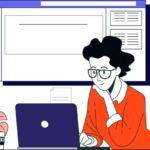
Preview
A look at what we build for WordPress websites
Demo layout with sample data, shown to illustrate the kind of screens we design. Not a client project.
Why WordPress
Flexible, widely supported and yours to keep.
WordPress powers a large share of the web, has a huge support ecosystem and doesn’t lock you into one developer. We use it in a disciplined way.
Custom design, not a stock theme
A design system built for your brand, using a lightweight theme and native WordPress blocks.
Reusable layouts
Saved sections and patterns, so new pages look consistent without starting from scratch.
Editable content
Change text, images, FAQs and services yourself, safely, in the block editor.
Responsive everywhere
Layouts designed for phones, tablets and large screens.
Security practices
Least-privilege user roles, strong passwords, two-factor login options, updates and backups.
Performance
Minimal plugins, optimised media, caching guidance and no heavy page-builder bloat.
Plugins, chosen carefully
Fewer plugins, better choices.
Every plugin adds code to maintain. We pick well-supported plugins only when they earn their place, and we build small site-specific features into a custom plugin when that is cleaner.
Some plugins are free, some have paid tiers, and compatibility changes over time. We’ll list every plugin and any licence cost before we start, so there are no surprises.
Typical WordPress stack
| Need | Approach |
|---|---|
| Theme | Lightweight block theme or GeneratePress |
| Layouts | Native blocks and reusable patterns |
| SEO | Built-in metadata or a reputable SEO plugin |
| Forms | Lightweight form handler with spam protection |
| Backups | Host backups plus off-site copies |
| Security | Hardening, updates, login protection |
Editing workflow
Built for editing from day one.
01
Plan the content model
Pages, posts, services and portfolio items mapped before design.
02
Design the system
Colours, typography, components and page layouts.
03
Build blocks and patterns
Reusable sections you can insert and edit.
04
Train your team
A short walkthrough and a written guide for common edits.
FAQ
Frequently asked questions
Do you use Elementor or other page builders?
We prefer native WordPress blocks with a lightweight theme because they are faster and easier to maintain. If your current site uses a builder, we’ll assess whether to keep it or migrate.
Can you take over an existing WordPress site?
Yes. We start with a backup and a health check covering plugins, users, security and performance, then recommend fixes before making changes.
Is WordPress secure?
WordPress is as secure as the way it is managed. Updates, good passwords, limited admin accounts, backups and reputable plugins make the biggest difference.
Will you teach me how to edit the website?
Yes. Every WordPress project includes a handover walkthrough and a written editing guide.
Related services
Start a conversation
Plan your WordPress website.
Tell us about your current site (if any) and what you want to be able to manage yourself.
- WhatsApp · Muhammad Arif0336-4193275
- WhatsApp · Other number0316-4331750
- Call0336-4193275
- Emaildigitalbuddy.pk@gmail.com
Prefer a quick chat first? Message us on WhatsApp and we will reply as soon as we can during working hours.